Reading time: 3 minutes | Difficulty: Beginner
Overview
Control how many times a coupon can be used and when it expires. This guide covers usage limits and expiration dates.
Prerequisites
- At least one coupon created
- Understanding of your promotion strategy
Why Set Limits?
Limits help you:
- Control discount costs
- Create urgency
- Prevent abuse
- Plan promotions
Accessing Limit Settings
- Edit a coupon (or create new)
- Find the Usage Limits section
Usage Limit Options
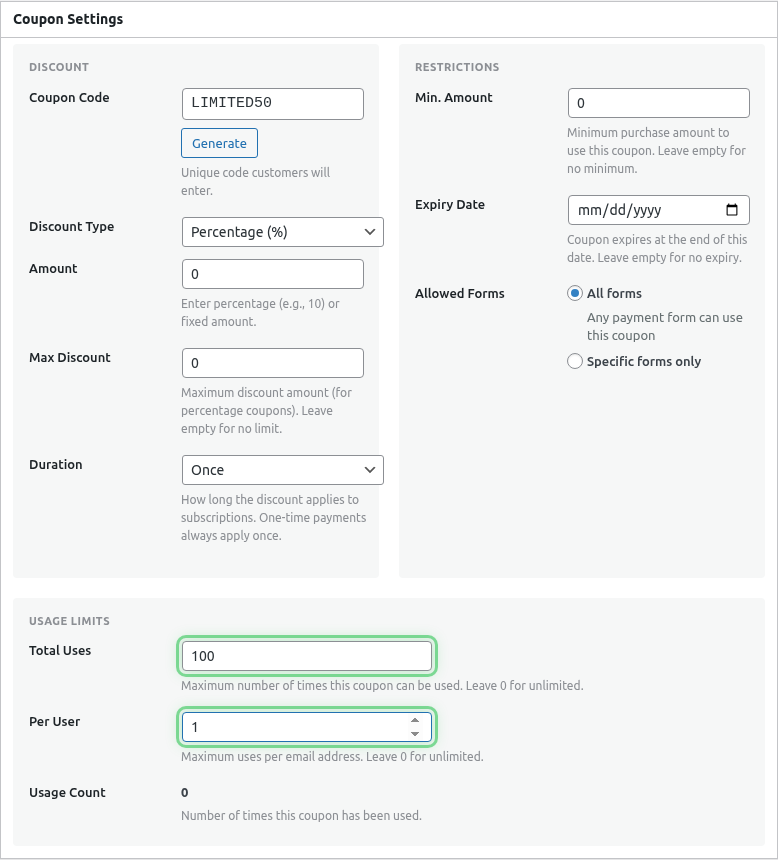
Total Usage Limit
Maximum number of times the coupon can be used across all customers.
| Setting | Behavior |
|---|---|
| Empty/0 | Unlimited uses |
| 100 | Works 100 times total |
| 1 | Single use (like a gift card) |
Use cases:
- Limited promotions: “First 50 customers”
- Flash sales with caps
- Gift certificates
Per-Customer Limit
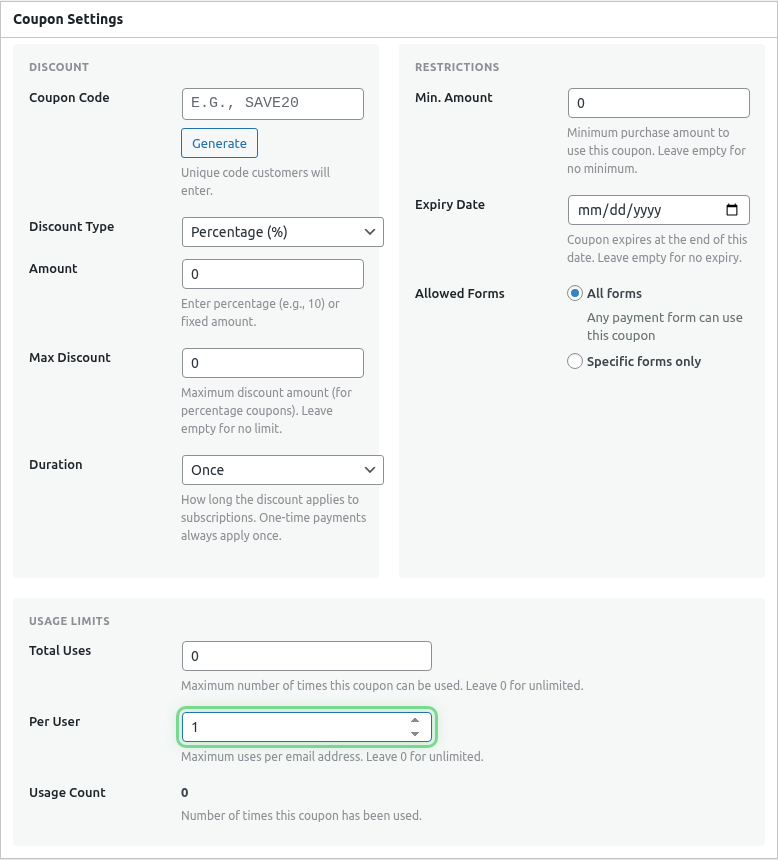
Maximum times each customer can use the coupon (matched by email).
| Setting | Behavior |
|---|---|
| Empty/0 | Unlimited per customer |
| 1 | One use per customer |
| 3 | Three uses per customer |
Use cases:
- Prevent abuse
- Welcome offers (once per customer)
- Loyalty rewards
Expiration Date
Setting Expiration
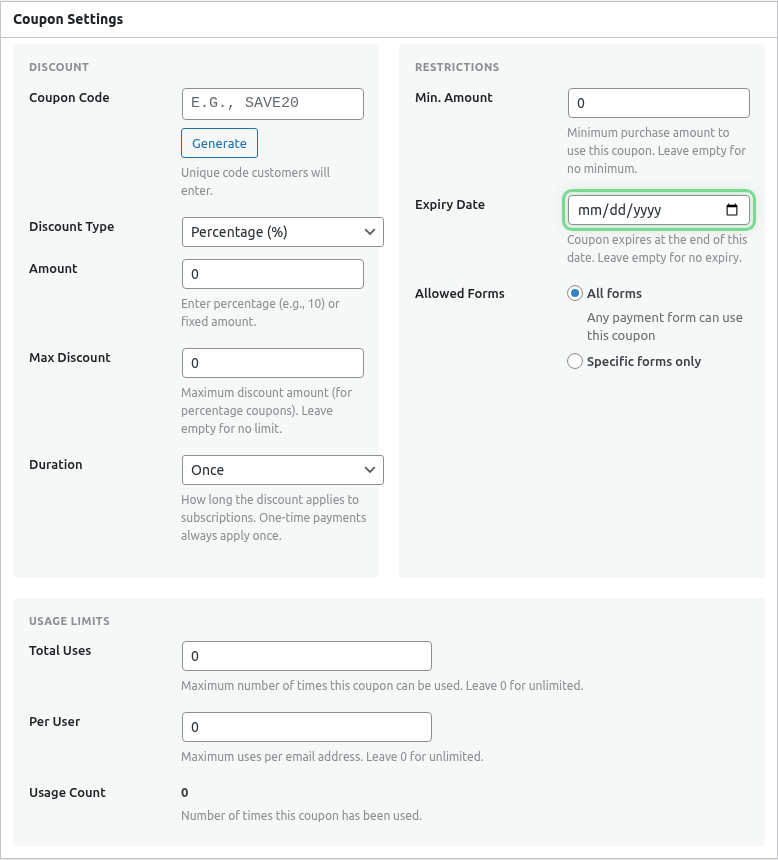
- Find the Expiration Date field
- Select a date
- Coupon expires at end of that day
Expiration Behavior
| Status | Behavior |
|---|---|
| Before date | Coupon works |
| On date | Coupon works (until midnight) |
| After date | “Coupon expired” error |
Use cases:
- Seasonal sales
- Limited-time offers
- Campaign deadlines
Common Configurations
Flash Sale
Usage Limit: 50
Per Customer: 1
Expiration: 24 hours from now

Result: First 50 customers, one per person, today only
Welcome Offer
Usage Limit: Unlimited
Per Customer: 1
Expiration: None

Result: Every new customer can use once, forever
Holiday Promotion
Usage Limit: Unlimited
Per Customer: Unlimited
Expiration: December 31

Result: Anyone, any number of times, until year end
VIP Gift Code
Usage Limit: 1
Per Customer: 1
Expiration: 30 days

Result: Single-use gift code with deadline
Tracking Usage
View Current Usage
- Go to WP Payment Pal > Coupons
- Find the coupon
- Check the usage count column/section
Usage Information
- Used: Times already redeemed
- Limit: Maximum allowed
- Remaining: Available uses left
Handling Limit Reached
When a limit is reached:
Total Limit Reached
- All customers see: “Coupon limit reached”
- No more uses possible
- Consider creating a new coupon
Per-Customer Limit Reached
- Specific customer sees: “You’ve already used this coupon”
- Other customers can still use it
- Matched by email address
Expiration Reached
- All customers see: “Coupon has expired”
- No more uses possible
- Consider extending or creating new coupon
Modifying Limits
Increase Limits
- Edit the coupon
- Increase the usage limit
- Save changes
Previously used counts remain; additional uses now allowed.
Extend Expiration
- Edit the coupon
- Change expiration date
- Save changes
Coupon immediately works again (if within new date).
Reset Usage Count
Usage counts cannot be reset. To start fresh:
- Create a new coupon
- Delete or expire the old one
Combining Limits
All limits must be satisfied:
Total Limit: 100
Per Customer: 2
Expiration: Dec 31

Requirements:
✓ Total uses < 100
✓ This customer used < 2 times
✓ Current date ≤ Dec 31

All must be true for coupon to work.
Customer Messages
| Situation | Message |
|---|---|
| Valid coupon | “Discount applied!” |
| Expired | “This coupon has expired” |
| Limit reached | “This coupon is no longer available” |
| Per-customer limit | “You’ve already used this coupon” |
Best Practices
- Plan ahead – Set limits before promoting
- Buffer limits – If you advertise “first 100”, set limit to 105 for edge cases
- Clear expiration – Match expiration to your marketing (ends Dec 31!)
- Monitor usage – Check if limits are being hit too fast
- Have backups – Prepare replacement coupons for popular promotions
What’s Next?
- Adding Coupon Fields to Your Form – Enable coupon input
- Limiting Coupons to Specific Forms – Form restrictions
- Creating Discount Coupons – Coupon basics