Reading time: 4 minutes | Difficulty: Beginner
Overview
Control how long subscriptions run by limiting billing cycles. This guide covers setting up fixed-term subscriptions and payment plans.
Prerequisites
- A subscription price option configured
- Understanding of your subscription model
What are Billing Cycles?
A billing cycle is one recurring payment. By default, subscriptions continue indefinitely. Limiting cycles creates fixed-term subscriptions.
| Type | Behavior |
|---|---|
| Unlimited | Continues until cancelled |
| Limited | Ends after X payments |
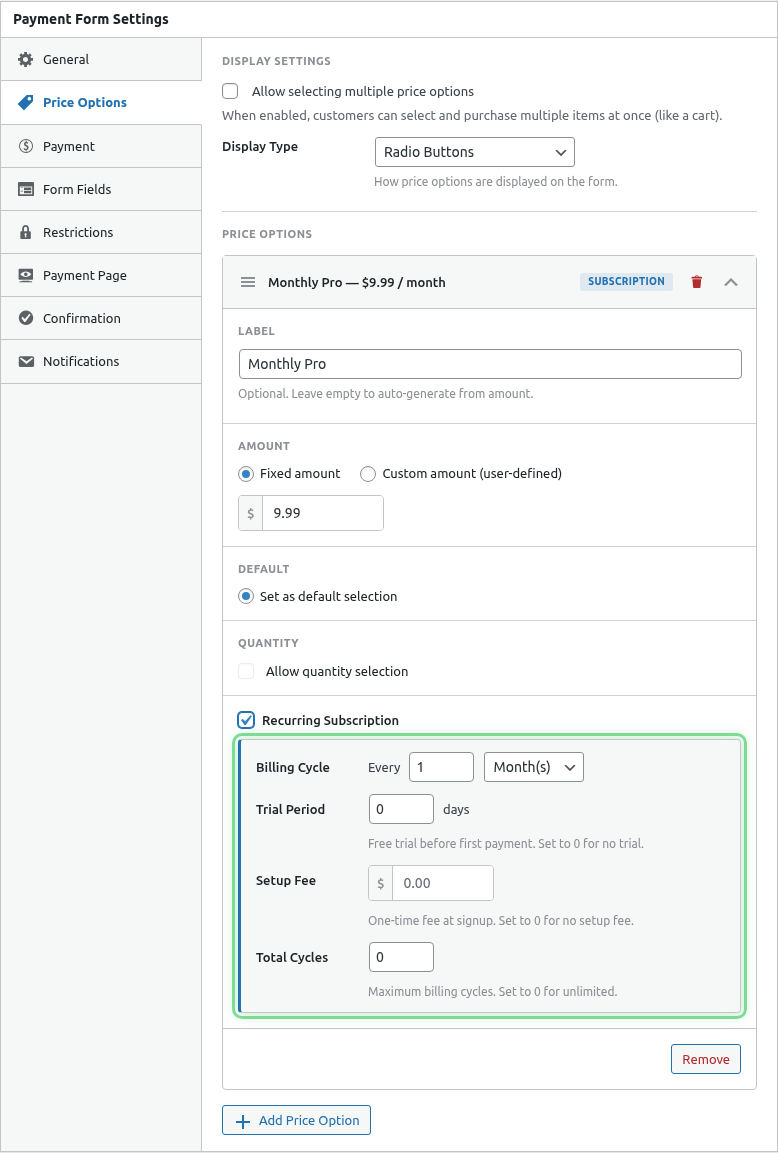
Step 1: Access Subscription Settings
- Edit your payment form
- Click the Price Options tab
- Expand your subscription price option
Step 2: Limit Billing Cycles
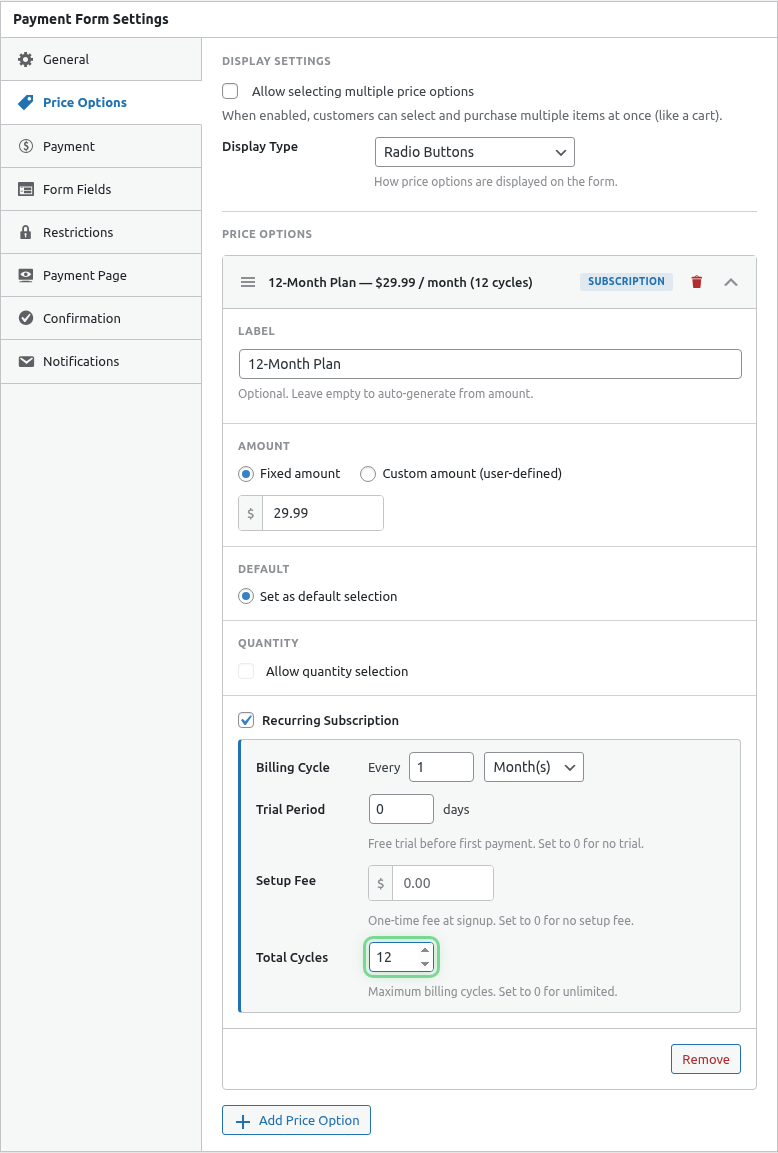
- Find the Billing Cycles or Total Cycles setting
- Enter the number of payments
- Save the form
Examples
12-Month Payment Plan
Amount: $50/month
Interval: Monthly
Cycles: 12

Customer pays:
- 12 payments of $50
- Total: $600
- Subscription ends automatically
Annual Subscription (One Year)
Amount: $99/year
Interval: Yearly
Cycles: 1

Customer pays:
- 1 payment of $99
- Subscription ends after one year
Quarterly for One Year
Amount: $75/quarter
Interval: 3 Months
Cycles: 4

Customer pays:
- 4 payments of $75
- Total: $300
- Subscription ends after 1 year
Semester Course
Amount: $199/month
Interval: Monthly
Cycles: 6

Customer pays:
- 6 payments of $199
- Total: $1,194
- Access ends after 6 months
Use Cases
Payment Plans
Split a large purchase into installments:
Product Value: $600
Payment Plan: $50/month × 12
Benefit: Lower barrier to purchase
Fixed-Term Memberships
Memberships that don’t auto-renew:
Annual Membership: $200/year × 1
Benefit: No surprise renewals
Course Access
Match billing to course duration:
12-Week Course: $49/week × 12
Benefit: Payment matches content delivery
Contract Services
Services with defined terms:
6-Month Retainer: $500/month × 6
Benefit: Clear service commitment
What Happens When Cycles Complete
- Final payment is processed
- Subscription status changes to “Completed”
- No further charges occur
- Customer receives completion notification (if configured)
The subscription doesn’t auto-renew. Customers must subscribe again if they want to continue.
Combining with Other Features
With Trial Period
Trial: 14 days free
Then: $29/month × 12

Timeline:
- Days 1-14: Free trial
- Months 1-12: $29/month
- After Month 12: Subscription ends
With Setup Fee
Setup Fee: $49 (one-time)
Then: $29/month × 6

Customer pays:
- $49 at signup
- $29/month for 6 months
- Total: $223
Unlimited vs Limited Comparison
| Aspect | Unlimited | Limited |
|---|---|---|
| Duration | Forever | Fixed term |
| Customer action | Must cancel | Auto-ends |
| Revenue | Ongoing | Predictable |
| Renewal | Automatic | Manual re-subscribe |
| Best for | Ongoing services | Courses, payment plans |
Renewal Options
When cycles complete, customers can:
- Subscribe again – Start a new subscription
- Move on – No further action needed
To encourage renewal:
- Send a “subscription ending” email
- Offer a renewal discount
- Provide easy re-subscribe link
Tracking Cycle Progress
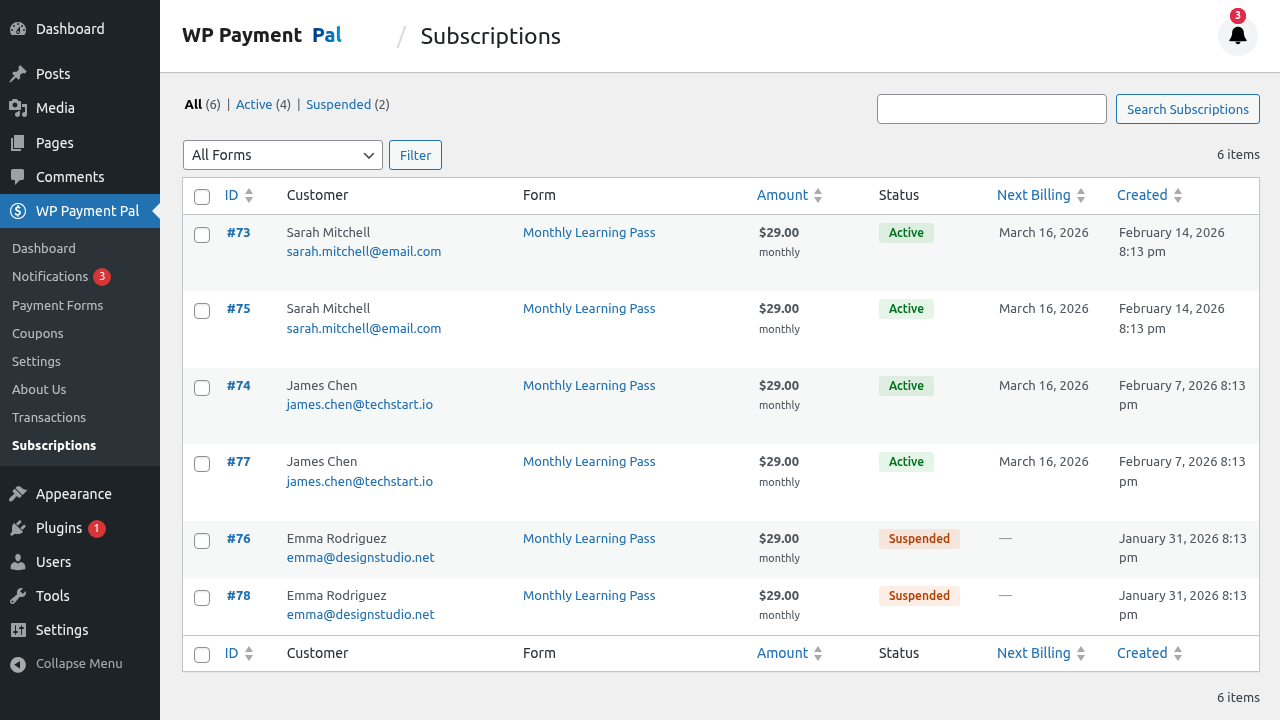
View remaining cycles in subscription details:
- Go to WP Payment Pal > Subscriptions
- Click on a subscription
- See completed vs total cycles
Early Cancellation
Customers can cancel before cycles complete:
- Remaining cycles are forfeited
- No further charges occur
- Access typically ends at current cycle
Changing Cycle Limits
You cannot change cycles for existing subscriptions. To modify:
- Cancel the current subscription
- Create a new subscription with different terms
- Possibly offer credit for paid cycles
Best Practices
- Clear communication – State total payments upfront
- Show value – Explain what each payment covers
- Renewal reminders – Email before subscription ends
- Easy renewal – Make re-subscribing simple
- Match to value – Align cycles with content/service delivery
Common Questions
Can customers add more cycles?
Not to an existing subscription. They’d need to subscribe again or to an unlimited plan.
What if payment fails on the last cycle?
PayPal retries. If it ultimately fails, the subscription may end without completing all cycles.
Can I offer both limited and unlimited options?
Yes! Create two price options on the same form.
What’s Next?
- Managing Subscriptions in Admin – View cycle progress
- Subscription Email Notifications – Completion emails
- Creating a Subscription Plan – Full setup guide